
⚡KEY TAKEAWAYS
- AI scan automates receipt capture — employees snap a photo and the HRMS extracts merchant, date, amount, and category instantly with no manual entry.
- Manual receipt handling costs more than you think — up to 9 hours/week per person and 90% of that time is recoverable with AI automation.
- Built-in HRMS integration is critical — AI scan is most powerful when connected to your expense approval and payroll workflows, not used as a standalone app.
- It prepares you for Malaysia’s e-invoicing mandate — Phase 4 applies to SMEs from RM1M–RM5M turnover from January 2026; digitised records get you compliant faster.
- Tax season becomes significantly easier — a clean, searchable, categorised expense record means no last-minute scramble or missing receipts at filing time.
For many Malaysian SMEs, receipt management is the kind of administrative task that never quite gets solved — just endured. A sales rep returns from a client meeting, hands over a crumpled receipt, and somewhere between the pile on the desk and the month-end expense report, something gets lost, mistyped, or delayed. Now imagine that happening across an entire team, every single week.
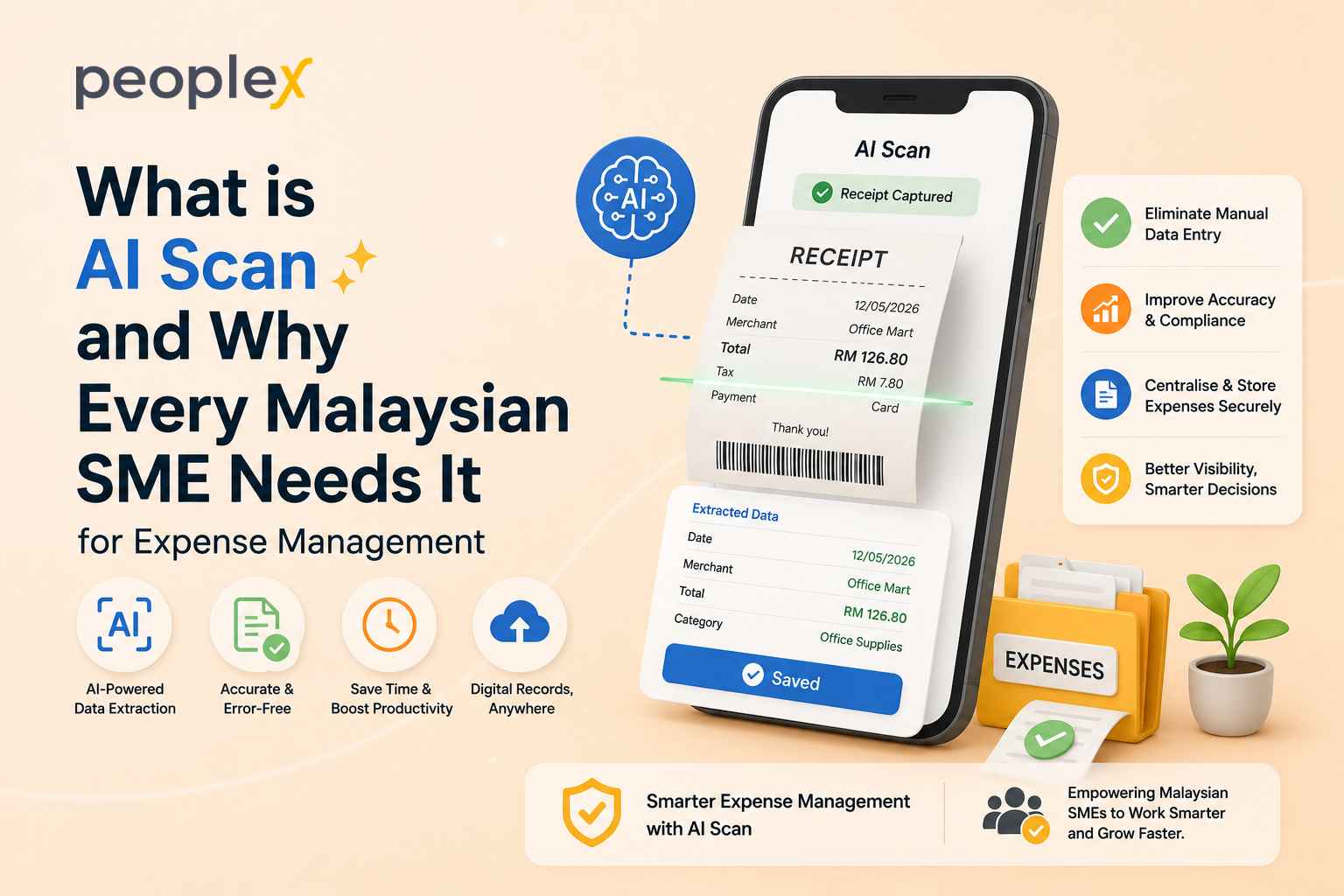
AI scan technology is the solution most business owners have been waiting for, even if they did not know it existed. Instead of manually keying in receipt details, your team snaps a photo and the system does the rest — extracting merchant names, dates, amounts, and expense categories in seconds.
This guide covers exactly how AI scan works in an HRMS, why the cost of doing without it is higher than most owners realise, and what Malaysian SMEs should look for when adopting this technology.
What Is AI Scan and How Does It Work?
Before exploring the benefits, it helps to understand what “AI scan” actually means in the context of expense management.
AI scan refers to the use of artificial intelligence — specifically computer vision and natural language processing — to automatically read and extract information from physical or digital documents. When applied to receipts, it means a system can “look” at a receipt image and immediately record the key data points without any human input.
How Does an AI Scan Extract Receipt Data?
When an employee photographs a receipt using an HRMS mobile app, the AI scan engine processes the image through several steps:
- Image recognition — the system identifies the document as a receipt and locates text regions
- Data extraction — it reads key fields like merchant name, transaction date, currency, and total amount
- Categorisation — the AI assigns the expense to the appropriate category (travel, meals, supplies) based on merchant type and context
- Storage — the receipt image and extracted data are saved securely, linked to the employee’s expense claim
The entire process takes seconds. What once required 5–10 minutes of manual entry is reduced to a quick snap.
AI Scan vs. Traditional Manual Entry: What’s the Real Difference?
Traditional receipt management relies on human effort at every step: employees fill in expense forms, finance teams re-enter the same information into accounting systems, and managers check everything manually before approving. Every handoff is an opportunity for an error to creep in.
AI scan removes the manual handoff entirely. Data flows directly from the receipt to the system with no re-keying, no delays, and no dependency on someone’s availability. The result is faster processing, cleaner records, and a workflow that scales naturally as your team grows.
|
Aspect |
Traditional Receipt Management |
AI Scan |
|
Data Entry |
Employees manually fill in expense forms |
Data flows directly from receipt to system automatically |
|
Re-keying |
Finance teams re-enter information into accounting systems |
No re-keying required |
|
Approval Process |
Managers check everything manually before approving |
No manual checking dependency |
|
Handoffs |
Multiple handoffs at every step — each a risk for error |
No manual handoffs |
|
Error Risk |
High — errors can creep in at every handoff |
Low — direct data flow minimizes errors |
|
Processing Speed |
Slower due to manual steps and human availability |
Faster — no delays or dependency on availability |
|
Record Quality |
Prone to inaccuracies from re-entry |
Cleaner, more accurate records |
|
Scalability |
Scales poorly — more staff needed as team grows |
Scales naturally as the team grows |
How AI Scan Works Inside Your HRMS
Standalone receipt apps are useful, but AI scan is most powerful when built directly into your HRMS — because it connects expense data to the rest of your HR and payroll workflows automatically.
Snap, Scan, Submit — The 3-Step Process
With PeopleX’s AI receipt scanning feature, the process is simple:
- Snap — the employee opens the PeopleX mobile app and photographs the receipt
- Scan — the AI scan engine instantly extracts the merchant name, date, amount, and assigns an expense category
- Submit — the populated expense claim is sent for manager approval, with the original receipt image attached
No paper, no re-entry, no chasing. The finance team receives clean, categorised data ready for review and reimbursement.
What Data Does AI Scan Capture Automatically?
A well-built AI scan feature extracts the fields that finance teams need to process an expense:
- Merchant name
- Transaction date
- Total amount and currency
- Expense category
- Receipt image (stored digitally and retrievable at any time)
This data flows directly into the expense management workflow within your HRMS, creating a complete and auditable record without anyone typing a single number.
Why Malaysian SMEs Should Adopt AI Scan Now
The case for AI scan is strong on its own merits. But for Malaysian businesses specifically, there are additional reasons why the time to act is now.
Does AI Scan Help with Malaysia’s E-Invoicing Compliance?
Yes — and this is becoming increasingly important. Malaysia’s e-invoicing mandate under the LHDN MyInvois system has been rolling out in phases. Phase 4 extends the requirement to businesses with annual turnover between RM1 million and RM5 million from January 2026, with an interim relaxation period running to December 2027.
As AI increasingly supports real-time invoice verification, businesses that have already digitised their expense and receipt processes will be far better positioned to meet these requirements. Adopting AI scan now means your records are clean, digital, and structured — exactly the format regulators expect.
You can learn more about the full benefits of an HRMS and how digitising your HR and expense processes prepares you for compliance requirements like these.
How Does AI Scan Make Tax Season Easier?
When every receipt is captured digitally and categorised correctly at the point of submission, tax season stops being a scramble. Your finance team has a clean, searchable record of every business expense — organised by date, category, and employee — ready for review at any time.
There’s no digging through filing cabinets, no chasing employees for receipts submitted three months ago, and no last-minute corrections before filing. AI scan creates the kind of audit trail that makes tax preparation significantly faster and far less stressful.
What Should You Look for in an AI Scan Feature?
Not all AI scan tools are created equal. If you are evaluating options, here is what separates a capable solution from a basic one.
What Are the 4 Things a Good AI Receipt Scanner Must Do?
When assessing an AI scan feature — whether standalone or built into your HRMS — look for these four capabilities:
- High extraction accuracy — the AI should reliably read receipts even if they’re slightly crumpled or printed in small font. Leading tools achieve accuracy rates above 99%
- Automatic categorisation — the system should assign expense categories intelligently, not just capture raw data
- HRMS integration — scanned data should flow directly into your expense claim and approval workflow, eliminating any manual re-entry
- Secure digital storage — every receipt image should be stored securely and retrievable for audit purposes
If you are exploring what else a modern HR system offers beyond expense management, this overview of modern HRMS features covers the full picture. And if your team still handles many HR tasks manually, it’s worth reviewing the most commonly outsourced HR tasks to identify where technology can have the biggest immediate impact.
A Smarter Way to Handle Expenses Starts With One Snap
Manual receipt management is one of those friction points that compounds quietly over time — costing hours, creating errors, and leaving finance teams stuck in repetitive data entry when they could be focused on higher-value work.
AI scan solves this with a simple but powerful shift: the employee snaps the receipt, and the system handles everything else. For Malaysian SMEs looking to run leaner, stay compliant, and scale without adding administrative overhead, it is one of the most immediately impactful features an HRMS can offer.
PeopleX’s AI receipt scanning feature is live and ready to use. Explore everything our HRMS platform can do for your business — or get in touch with us to see how it fits your team’s workflow.